The screenshot tool for Windows that scrolls, annotates and records
The Snipping Tool is fine for a quick rectangle. GrabCanvas is for the screenshots you send to other people: scrolling captures of any window, arrows and numbered steps, blur for the private bits, a short MP4 or GIF when a still won't do, and copy-text-from-screen for error dialogs. $29 once, or claim a free launch license.
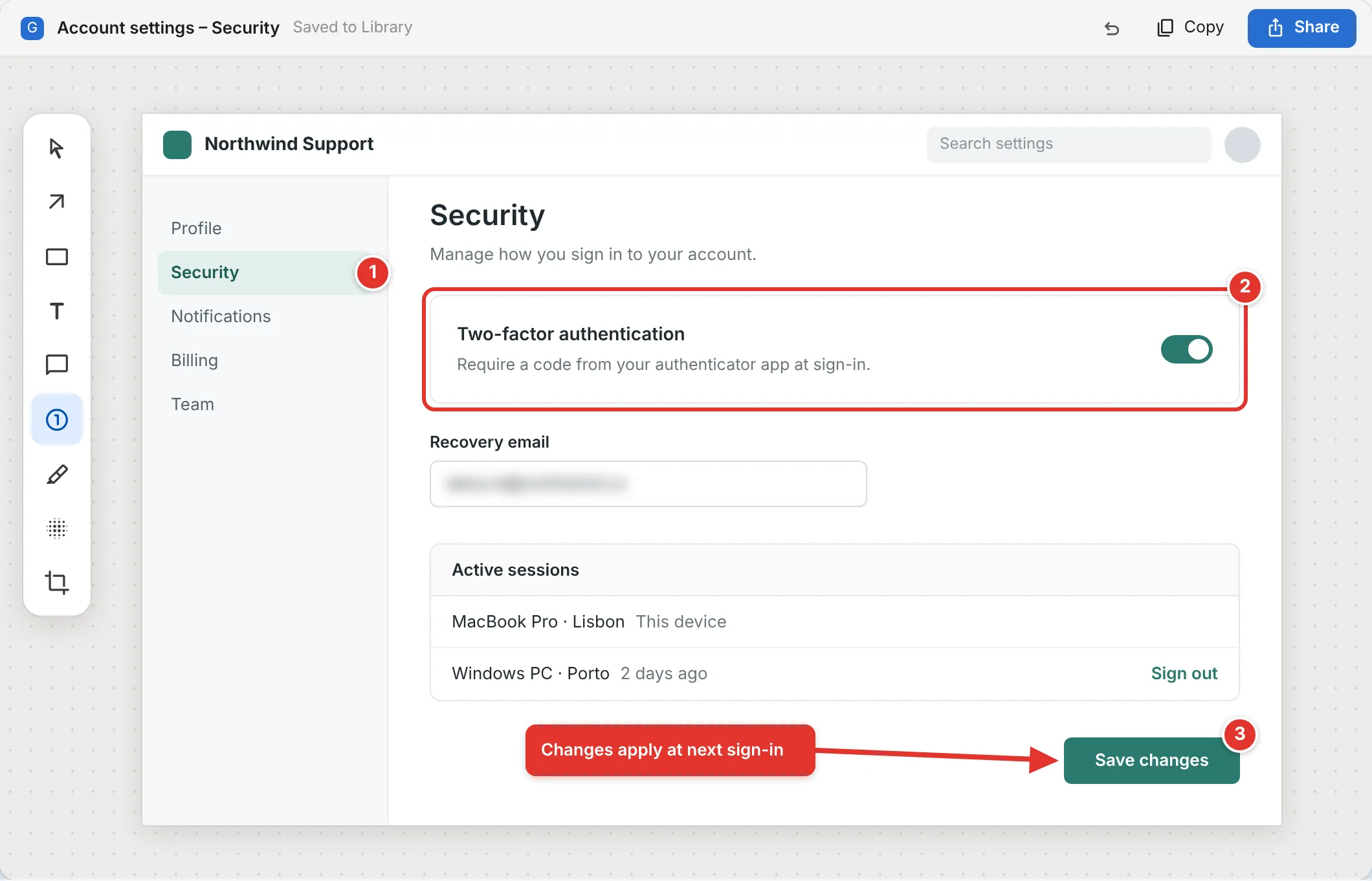
Snipping Tool, Snip & Sketch and Print Screen stop where real work starts
Windows 11 ships a capable Snipping Tool: rectangle, window, full screen, freeform, a delay timer and basic video recording. It cannot capture a scrolling page, its markup is a pen and a highlighter, and it has no idea what a step-by-step guide is. Here is what changes with GrabCanvas.
| Feature | GrabCanvas | Snipping Tool (Win 11) | ShareX | Greenshot |
|---|---|---|---|---|
| Price | $29 once | Free (built in) | Free, open source | Free, open source |
| Scrolling capture of any window | Yes | No | Yes | Browser plug-in only |
| Arrows, callouts, shapes, text | Yes | Pen and highlighter | Yes | Yes |
| Numbered steps that become a written guide | Yes | No | Numbers only | Numbers only |
| Auto-detect and blur email addresses | Yes | No | Manual blur | Manual obfuscate |
| Screen recording to MP4 and GIF | Yes, with trim | MP4 only, no trim | Yes (ffmpeg) | No |
| Copy text from screen (OCR) | Yes, on-device | Yes (Text Actions) | Yes | Plug-in |
| Export guide to Markdown, Word, HTML, PDF | Yes | No | No | No |
| Also on macOS and Linux | Yes, same license | No | No | No |
| Learning curve | Minutes | Minutes | Hours; very configurable | Minutes |
ShareX is a superb free tool if you enjoy configuring it; GrabCanvas is for people who want the result without the setup. Feature claims based on vendor documentation in October 2026.
Capture the whole page, not the part that fits on screen
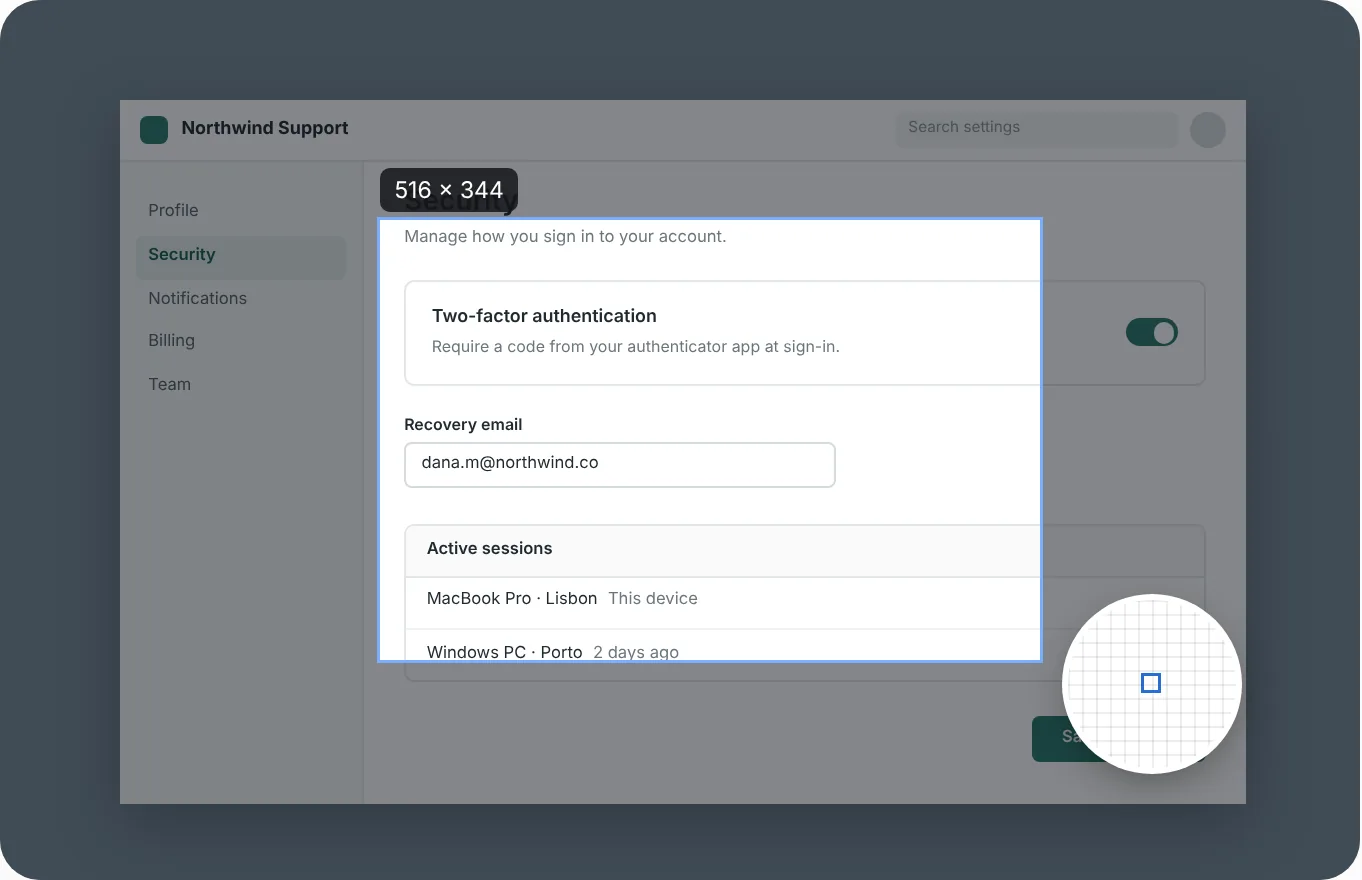
Press Ctrl Shift 4, click the window, and GrabCanvas scrolls it to the bottom and stitches every frame into one tall image. It works in Chrome, Edge and Firefox, and in desktop apps with a normal scrollable area: Settings panes, Outlook, Teams threads, Excel sheets, long Explorer listings.
For apps that draw their own scrolling, switch to manual mode: you scroll at your own pace and GrabCanvas captures as you go. Either way the result opens in the editor so you can crop the header off, add a callout and send it.
A 20-second MP4 or GIF beats a paragraph
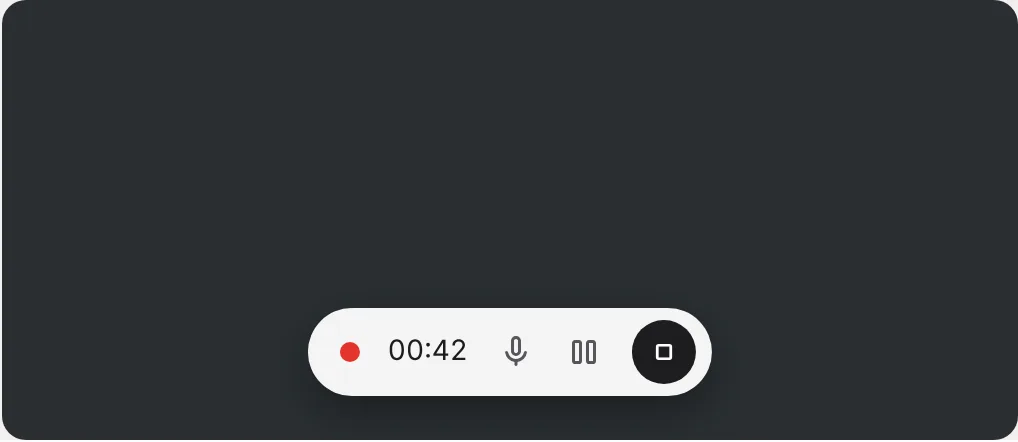
Record a region, a window or a monitor with the microphone, system audio or both. Pause for the bit you don't want to show. When you stop, trim the ends and export MP4 for a ticket or GIF for Teams, Slack or a README. No watermark, no length limit, no account.
The recorder uses hardware encoding where your GPU offers it, so a 1080p recording doesn't slow the machine you're recording on.
Built for how Windows machines are actually set up
Windows questions
Can the Windows 11 Snipping Tool take a scrolling screenshot?
No. The Snipping Tool captures a rectangle, a window, the full screen or a freeform shape, and it can record video, but it cannot capture a page that scrolls. Edge has a full-page capture for web pages only. GrabCanvas scrolls any window and stitches the result.
Does GrabCanvas run on Windows on ARM?
There is no native ARM64 build; the Windows download is x64 only. Windows 11 on ARM can run x64 apps through emulation.
Why does Windows show a SmartScreen warning?
The Windows build isn't code-signed, so SmartScreen warns the first time you run it. Choose More info, then Run anyway. If you'd like to check first, compare the file's SHA-256 with SHA256SUMS.txt.
Will it work on Windows 10?
Yes, on Windows 10 version 1809 and later. Windows 10 reached end of support in October 2025, so we test most on Windows 11, but the 1.x series will keep running on Windows 10.
Try it on your PC
Every feature in the free trial. $29 once when you're sure, or claim a free launch license.