Snagit alternative with one-time pricing
Snagit was the screenshot tool you bought once. For new customers it is now a subscription at about $39 a year. GrabCanvas is $29, once, and adds Linux to the Windows and Mac support. This page lists what you keep, what you give up, and what you save.
$29 once versus $39 a year
TechSmith lists Snagit Individual at about $39 per year and Business at about $48 per seat per year, with a TechSmith account required. The previous $63 perpetual license is no longer sold to new buyers. Over the life of a laptop the difference is real.
| GrabCanvas | Snagit Individual | Snagit Business | |
|---|---|---|---|
| Pricing model | One-time | Subscription | Subscription |
| Year 1 | $29 | ~$39 | ~$48 |
| Year 3 total | $29 | ~$117 | ~$144 |
| Year 5 total | $29 | ~$195 | ~$240 |
| Account required | No | Yes | Yes |
| Keeps working if you stop paying | Yes, forever | No | No |
| Platforms | Windows, macOS, Linux | Windows, macOS | Windows, macOS |
Snagit prices from techsmith.com in October 2026, rounded to the dollar. Education and volume prices differ. Check TechSmith's site for current terms.
What you keep, what changes
Most of what people use Snagit for every day is here: capture modes including scrolling, a full annotation editor, screen recording, text grab and a library. The two tools diverge on guides, where GrabCanvas goes further, and on templates and TechSmith integrations, where Snagit does.
| Feature | GrabCanvas | Snagit |
|---|---|---|
| Region, window, full screen | Yes | Yes |
| Scrolling capture | Yes, any scrollable window | Yes, plus panoramic |
| Delayed capture, presets | Yes | Yes |
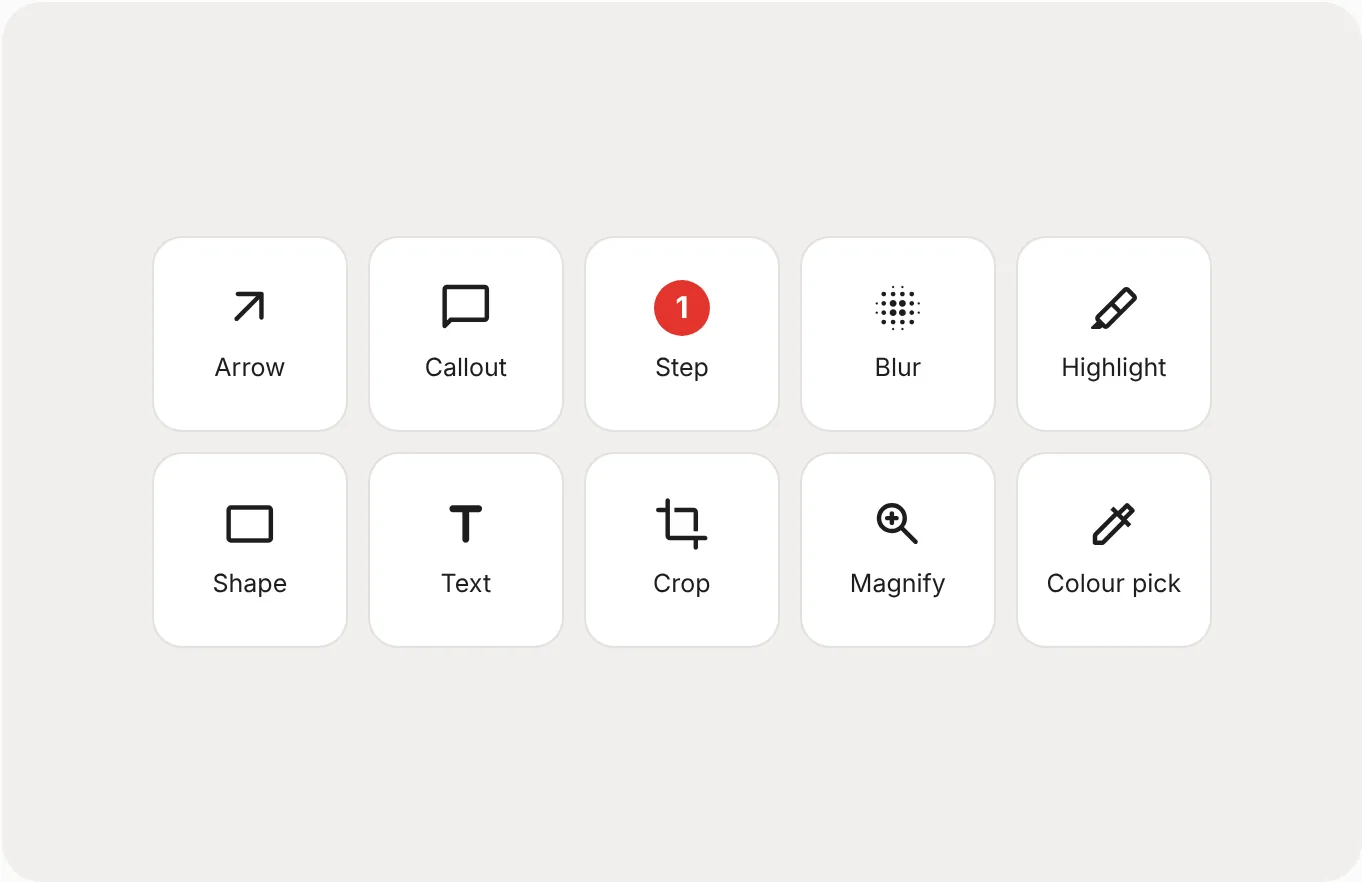
| Arrows, callouts, shapes, text, highlight | Yes | Yes |
| Numbered steps | Yes, and they write the steps list | Yes (Step tool), image only |
| Blur / redaction | Auto-detects email addresses, manual blur | Manual blur, Simplify tool |
| Screen recording | MP4 and GIF, trim, mic and system audio | MP4 and GIF, trim, webcam, mic and system audio |
| Copy text from screen (OCR) | Yes, on-device | Yes (Grab Text) |
| Guide export | Markdown, Word, HTML, PDF with steps | Image templates; Create from Template |
| Templates and stamps library | Styles and presets only | Large built-in library |
| Editable project files | Library keeps layers | .snagproj |
| Cloud sharing | Your own cloud folder | Screencast and many integrations |
| Linux | Yes | No |
Based on TechSmith's published feature list for Snagit 2026 in October 2026.
From screenshot to finished guide, in one window
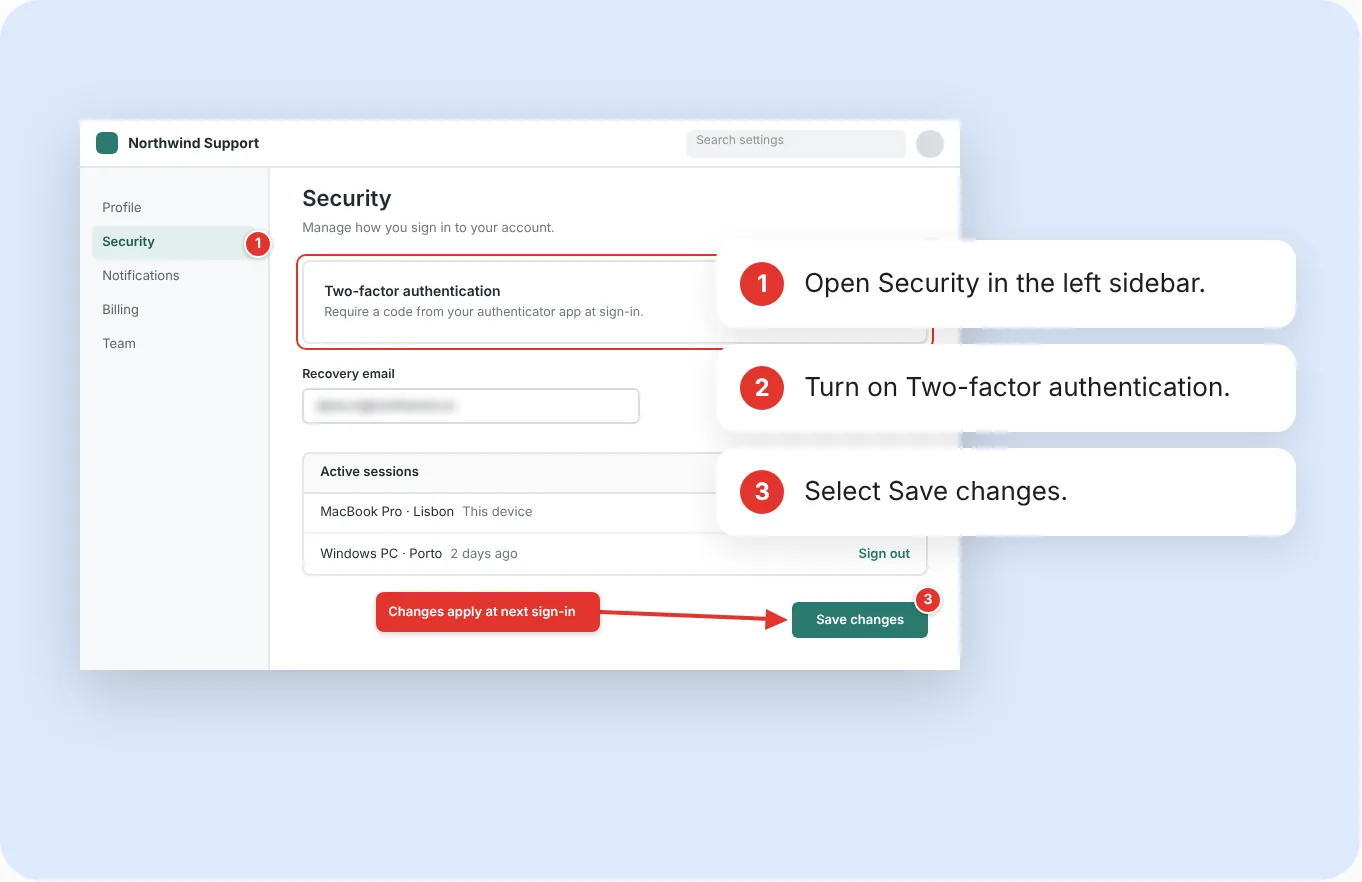
Snagit's Step tool puts numbers on an image. GrabCanvas's step markers also write the steps list beside the image, and export both together as Markdown, Word, HTML or PDF. For a support reply or a help-center article that is the difference between a picture and a finished answer.
Blur finds email addresses in the capture for you. There is no account to sign into, no cloud you didn't ask for, and the same license runs on the Linux box too.
Templates, Simplify, webcam and TechSmith's ecosystem
Snagit has a large template and stamp library, the Simplify tool that turns a busy interface into flat placeholder shapes, panoramic capture for content that moves rather than scrolls, webcam recording, and tight links to Camtasia and TechSmith's Screencast sharing. If your team is built around those, Snagit is worth its subscription and we'd rather tell you that than sell you something that doesn't fit.
It also opens its own .snagproj files with editable layers. GrabCanvas can't, so export anything you still need to edit before you switch.
Moving from Snagit takes an afternoon
Snagit questions
Is Snagit still available as a one-time purchase?
No. TechSmith moved Snagit to subscription-only pricing for new buyers between late 2024 and 2025. The Individual plan is listed at about $39 per year and existing perpetual licenses keep working on the version they were bought for.
What does Snagit do that GrabCanvas does not?
A large template and stamp library, the Simplify auto-redaction tool, panoramic capture, webcam recording, and integrations with Camtasia and TechSmith's cloud. If you rely on those, Snagit is still the better fit.
Can I open my Snagit captures in GrabCanvas?
GrabCanvas opens the PNG, JPG and GIF files Snagit exports. It cannot open .snagproj files with editable layers.
Does GrabCanvas have a free trial like Snagit?
Yes, with every feature enabled. Download it, and if it isn't for you there is a 30-day refund after purchase as well.
Try GrabCanvas next to Snagit
Every feature in the free trial. $29 once when you're sure, or claim a free launch license.