A Linux screenshot tool that's as polished as the Mac ones
Linux has good free capture tools and none of them does the whole job: scrolling capture, numbered steps that turn into a written guide, blur that finds email addresses, MP4 and GIF recording with trim, and on-device OCR, in one app that works the same on GNOME, KDE and the rest. GrabCanvas does, for $29 once, with the same license covering your Windows and Mac machines.
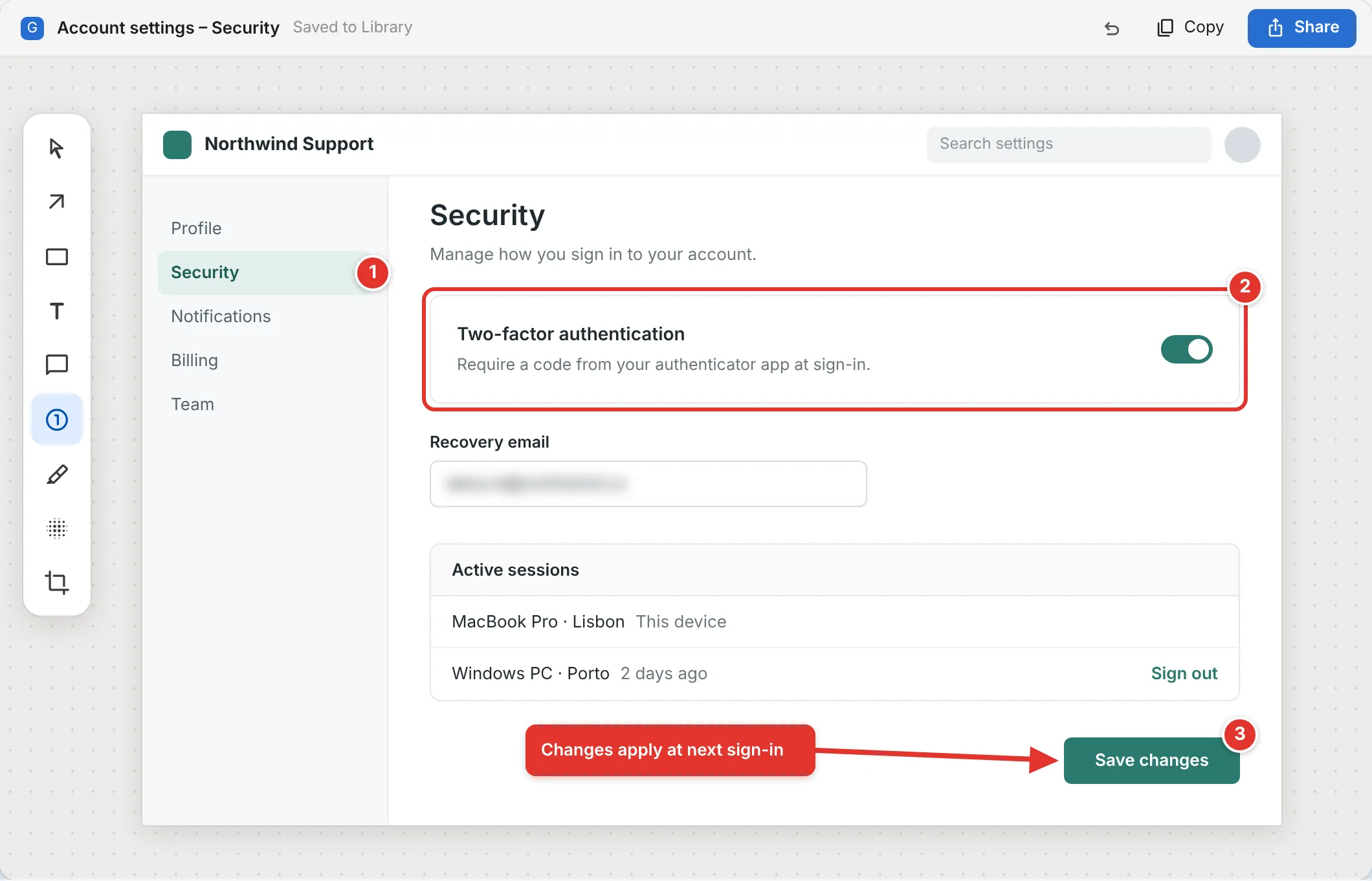
The free tools are good at capturing. Explaining is the gap.
Flameshot is the community favorite for a quick annotated region and deserves to be. Shutter has deep editing but struggles on Wayland. Ksnip and Spectacle cover KDE well. None of them records to GIF with a trim, recognizes text on screen, finds email addresses to blur, or turns a numbered screenshot into a step-by-step document.
| Feature | GrabCanvas | Flameshot | Shutter | Ksnip | Spectacle |
|---|---|---|---|---|---|
| Price | $29 once | Free | Free | Free | Free |
| Wayland support | Yes (portal) | Partial | Limited | Yes (portal) | Yes (KDE) |
| Scrolling capture | Yes | No | Web only, via plug-in | No | No |
| Arrows, callouts, shapes, text | Yes | Yes | Yes | Yes | Basic |
| Numbered steps that become a written guide | Yes | Numbers only | No | Numbers only | No |
| Auto-detect and blur email addresses | Yes | Manual pixelate | Manual | Manual | Manual |
| Screen recording to MP4 and GIF | Yes, with trim | No | No | No | Video only |
| Copy text from screen (OCR) | Yes, on-device | No | No | No | No |
| Export guide to Markdown, Word, HTML, PDF | Yes | No | No | No | No |
| Same app on Windows and macOS | Yes, same license | Yes | No | Yes | No |
Based on each project's documentation in October 2026. If Flameshot does everything you need, keep using it; GrabCanvas is for the days you have to explain something to someone else.
Works on the desktop you actually run
On Wayland (GNOME, KDE Plasma, Sway and others with xdg-desktop-portal) GrabCanvas captures and records through the portal's screenshot and screencast interfaces. You grant access once; after that the shortcut just works. On X11 it captures directly, including specific windows and multi-monitor layouts with different scale factors.
Global shortcuts are registered through the portal on Wayland and directly on X11. If your compositor doesn't expose the global-shortcuts portal yet, GrabCanvas shows you the one-line command to bind in your desktop's keyboard settings.
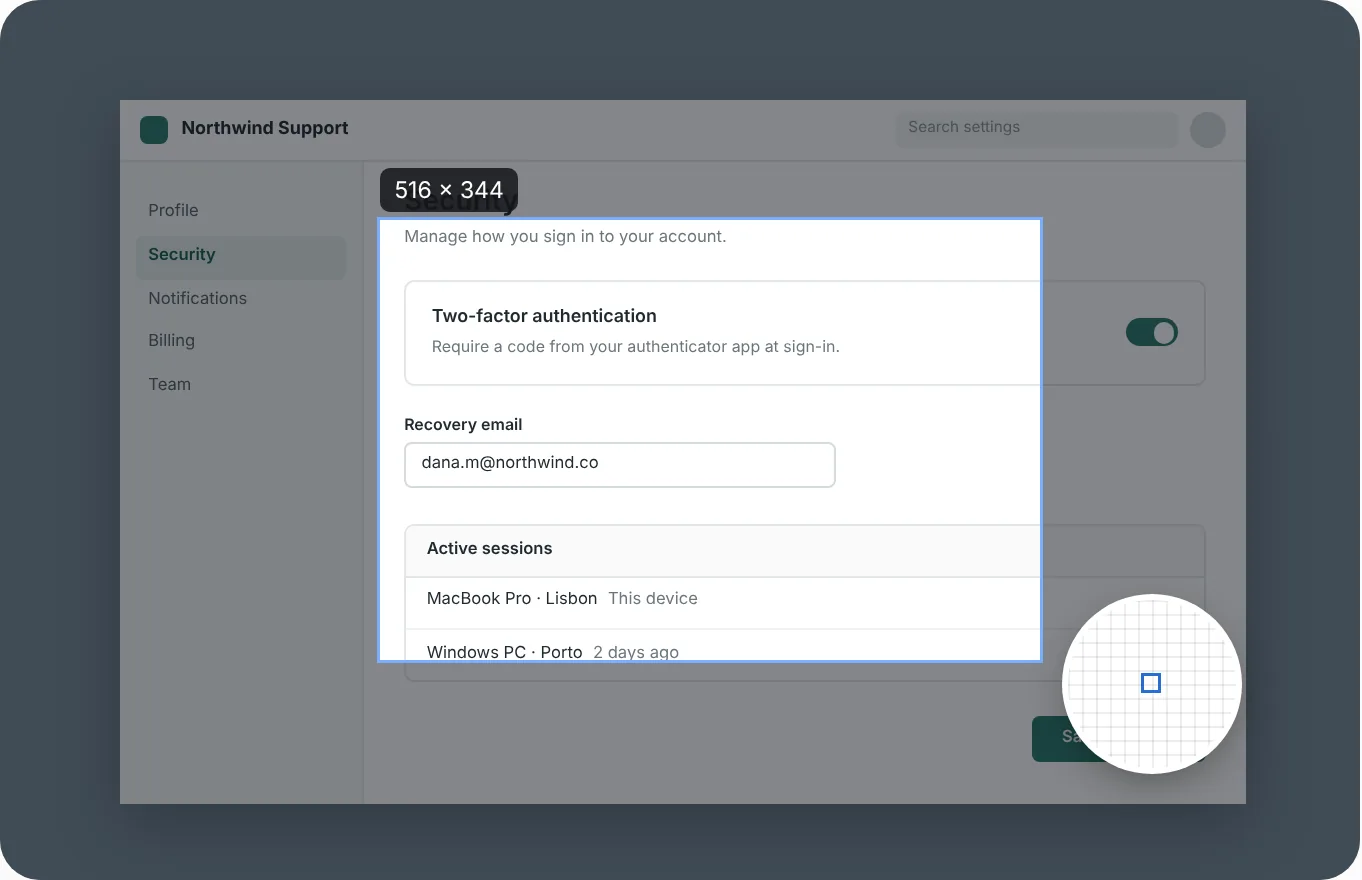
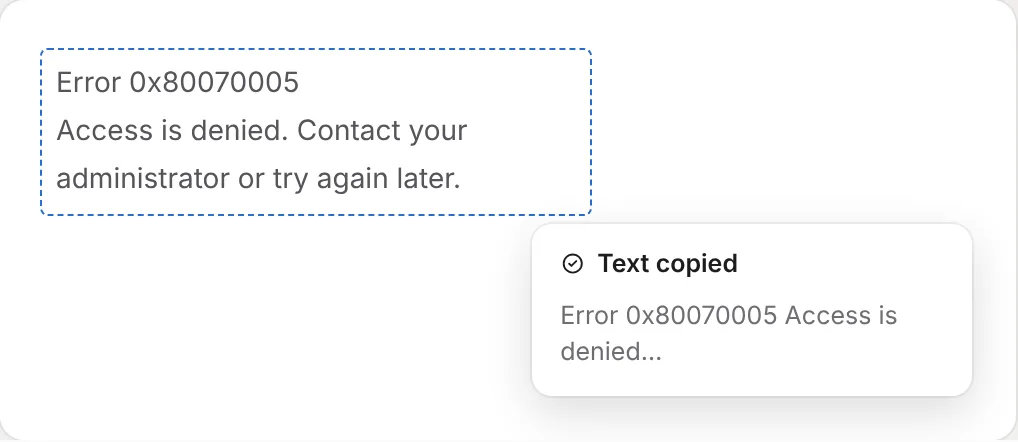
Grab the error, paste it into the search
Drag over a dialog, a terminal in a video call, a screenshot in a bug report or a slide, and the text lands on your clipboard. Recognition runs on your machine with no network call. Paths, error codes and URLs come through intact, line breaks included, so a pasted stack trace still reads as one.
One download, nothing to install
mkdir -p ~/grabcanvas && tar -xzf grabcanvas-linux-x86_64.tar.gz -C ~/grabcanvas && ~/grabcanvas/grabcanvasDownload the .tar.gz (20 MB)
Verify any download against SHA256SUMS.txt. Captures, recordings and preferences live under ~/.config/grabcanvas and a pictures folder you choose.
Linux questions
Does GrabCanvas work on Wayland?
Yes. On Wayland desktops it captures and records through the xdg-desktop-portal screenshot and screencast interfaces, which ask for permission the first time. On X11 it captures directly.
How do I install it?
Download grabcanvas-linux-x86_64.tar.gz, extract it into its own folder and run the grabcanvas binary inside. Nothing is installed system-wide. It needs an x64 distribution with glibc 2.35 or newer, such as Ubuntu 22.04, Debian 12 or Fedora 36.
Is there an ARM64 build?
No. The Linux download is x64 only, so it does not run on ARM laptops or boards such as the Raspberry Pi.
Can I script it?
GrabCanvas registers a D-Bus service so you can trigger a region, window, full-screen or scrolling capture from a script or a compositor keybinding. Run grabcanvas --help for the command-line options.
Try it on your Linux machine
Every feature in the free trial. $29 once when you're sure, or claim a free launch license.