CleanShot X alternative for Windows, Linux and Mac
CleanShot X is the best-loved screenshot app on the Mac, and it is Mac only. If you also work on a Windows PC or a Linux machine, or you want a one-time price, GrabCanvas gives you the same core workflow on all three for $29 once, plus step-by-step guide export that CleanShot doesn't have.
$29 once, three platforms
| GrabCanvas | CleanShot X | |
|---|---|---|
| Price | $29 once | $29 once |
| Updates | Six months included; license never expires | One year included, then ~$19/year |
| Cloud sharing | Your own cloud folder, no extra cost | CleanShot Cloud, free tier plus paid plans |
| Windows | Yes | No |
| macOS | Yes (Universal) | Yes |
| Linux | Yes (X11 and Wayland) | No |
| Account required | No | Only for cloud features |
CleanShot X pricing from cleanshot.com in October 2026. Check their site for current terms; the update-plan price has changed before.
Side by side
| Feature | GrabCanvas | CleanShot X |
|---|---|---|
| Region, window, full screen, timed | Yes | Yes |
| Scrolling capture | Yes | Yes |
| Annotations: arrows, shapes, text, highlight | Yes | Yes |
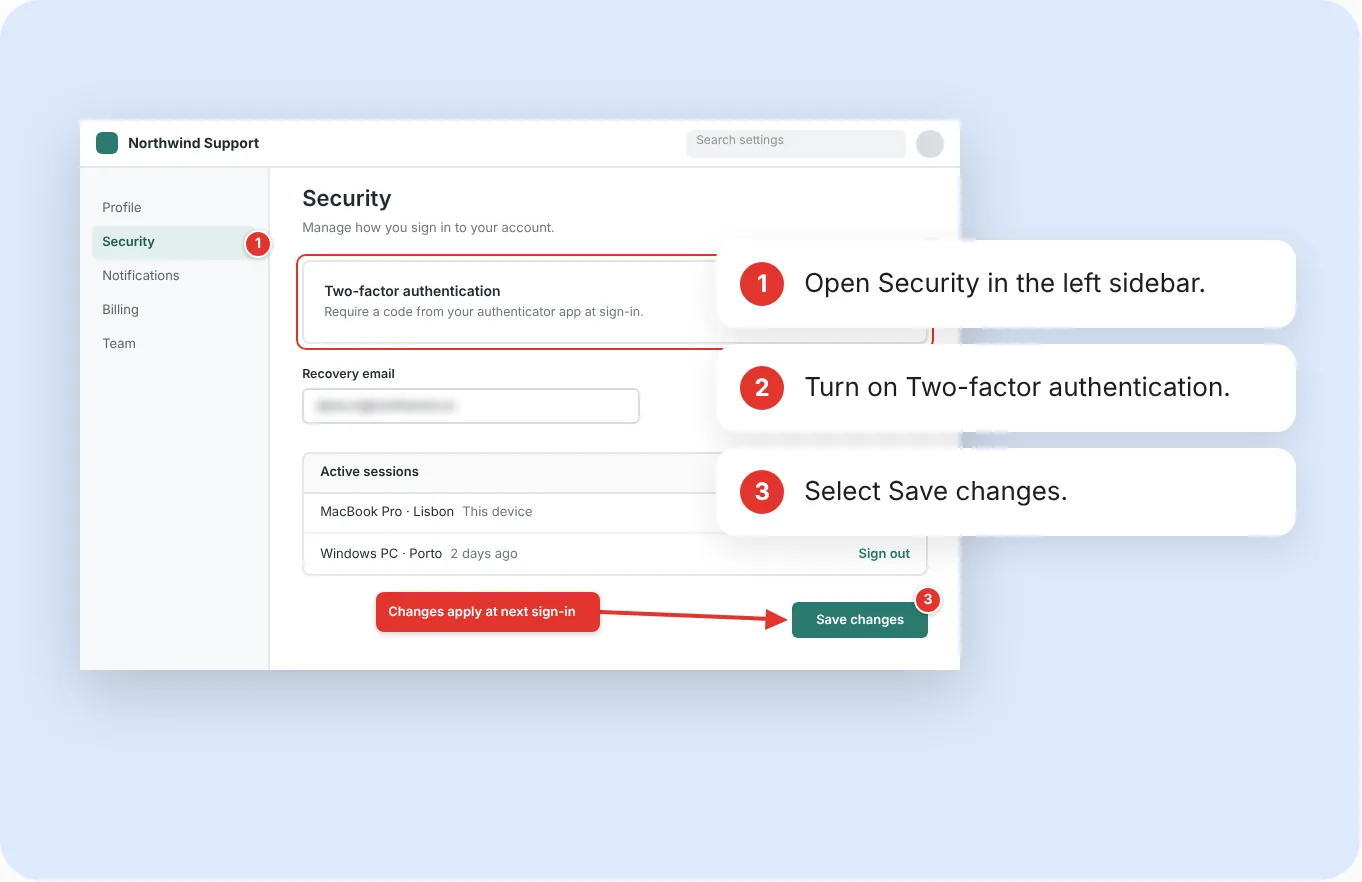
| Numbered steps | Yes, and they write the steps list | Counter tool, image only |
| Blur / pixelate | Auto-detects email addresses, manual blur | Manual blur and pixelate |
| Screen recording | MP4 and GIF, trim, mic and system audio | MP4 and GIF, trim, webcam, mic and system audio |
| Copy text from screen (OCR) | Yes, on-device | Yes |
| Guide export | Markdown, Word, HTML, PDF with steps | No |
| Window background / padding tool | Padding only | Yes, with wallpapers |
| Hide desktop icons while capturing | No | Yes |
| Pin a capture to the screen | Yes | Yes |
| Capture history / library | Yes, with editable layers | Yes |
Based on CleanShot X's published feature list in October 2026.
Everywhere you work, and the guide at the end
One license runs on your Mac, your Windows laptop and your Linux workstation, with the same shortcuts and the same editor. Numbered steps write the steps list beside the image and export both together as Markdown, Word, HTML or PDF. Blur finds email addresses for you. And updates don't become a yearly bill.
A Mac-native polish that's hard to match
CleanShot X is beautifully tuned to macOS: the overlay, the quick-access floating thumbnail, the wallpaper backgrounds behind a window capture, the desktop-icon hider and the built-in cloud with instant links are all excellent. If you only ever use a Mac and you like having a cloud included, CleanShot X is a superb choice and we'd rather say so than pretend otherwise.
GrabCanvas deliberately has no cloud of its own. You share from a folder your existing provider syncs, which means no account, no expiring links and nothing extra to pay.
CleanShot X questions
Is there a CleanShot X for Windows?
How is CleanShot X priced?
As of October 2026 CleanShot X is a $29 one-time purchase that includes one year of updates; continuing to receive updates after that costs about $19 per year. Cloud plans are extra. GrabCanvas is $29 once and includes six months of free updates; the license never expires.
What does CleanShot X do better?
Mac-native polish, the built-in cloud with shareable links, window-background wallpapers, the desktop-icon hider and webcam recording. If you only use a Mac, it is hard to beat.
Can I use both?
Yes. Many people keep CleanShot X for quick Mac captures and use GrabCanvas for anything that needs a written guide or has to be reproduced on Windows or Linux. Shortcuts for each are configurable so they don't collide.
Try GrabCanvas on every machine you own
Every feature in the free trial. $29 once when you're sure, or claim a free launch license.